

|

Want to keep up with all 5 STAR events? You can subscribe and add our website calendar to your phone calendar.
**Please note: You are adding our website calendar to your phone to keep up to date with all 5 STAR Events. You will not be able to schedule through the calendar and must use Team Xpress or contact our Scheduling Department for scheduling communications.
Adding the 5 STAR Calendar to your Android Phone Calendar:
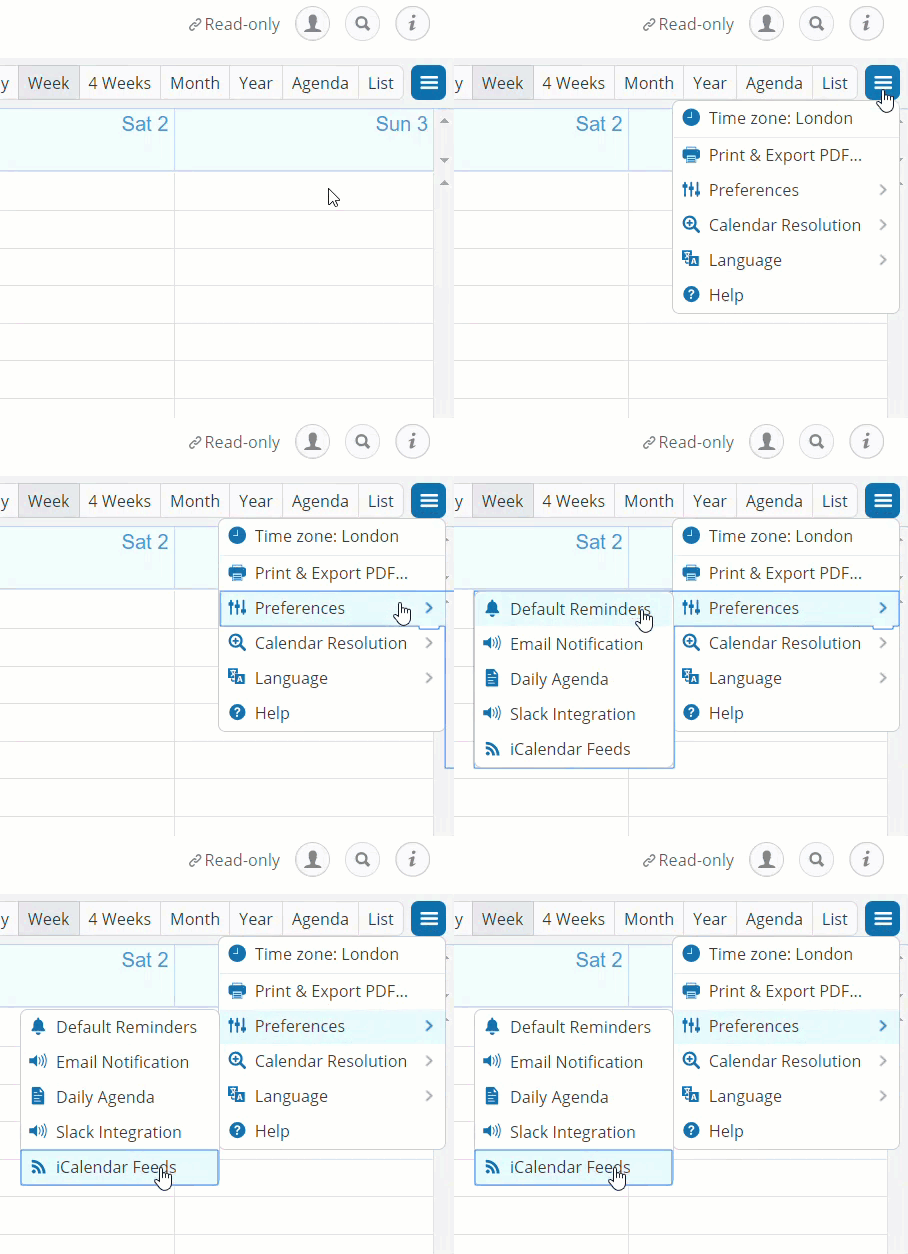
Step 1. Get link from Calendar Preferences in the top right corner of the 5 STAR calendar or copy and paste from below..
Step 2: Add the calendar to your google account
Go to Google calendars and sign in to your account: https://www.google.com/calendar.
Click the down-arrow next to Other calendars.
Select Add by URL from the menu.
Enter the desired address in the field below. Enter the URL from the iCalendar Feed.
Click Add calendar. The calendar will appear in the Other calendars section of the calendar list to the left.
Step 3: View the calendar in the calendar app.
Download the Google Calendar app on Google Play.
When you open the app, you’re already signed in with your Google Account. You can also add another account.
The calendars associated with your account should appear.