

|

Want to keep up with all 5 STAR Events? You can subscribe and add our website calendar to your phone calendar.
**Please note: You are adding our website calendar to your phone to keep up to date with all 5 STAR Events. You will not be able to schedule through the calendar and must use Team Xpress or contact our Scheduling Department for scheduling communications.
Adding the 5 STAR Calendar to your iPhone Calendar:
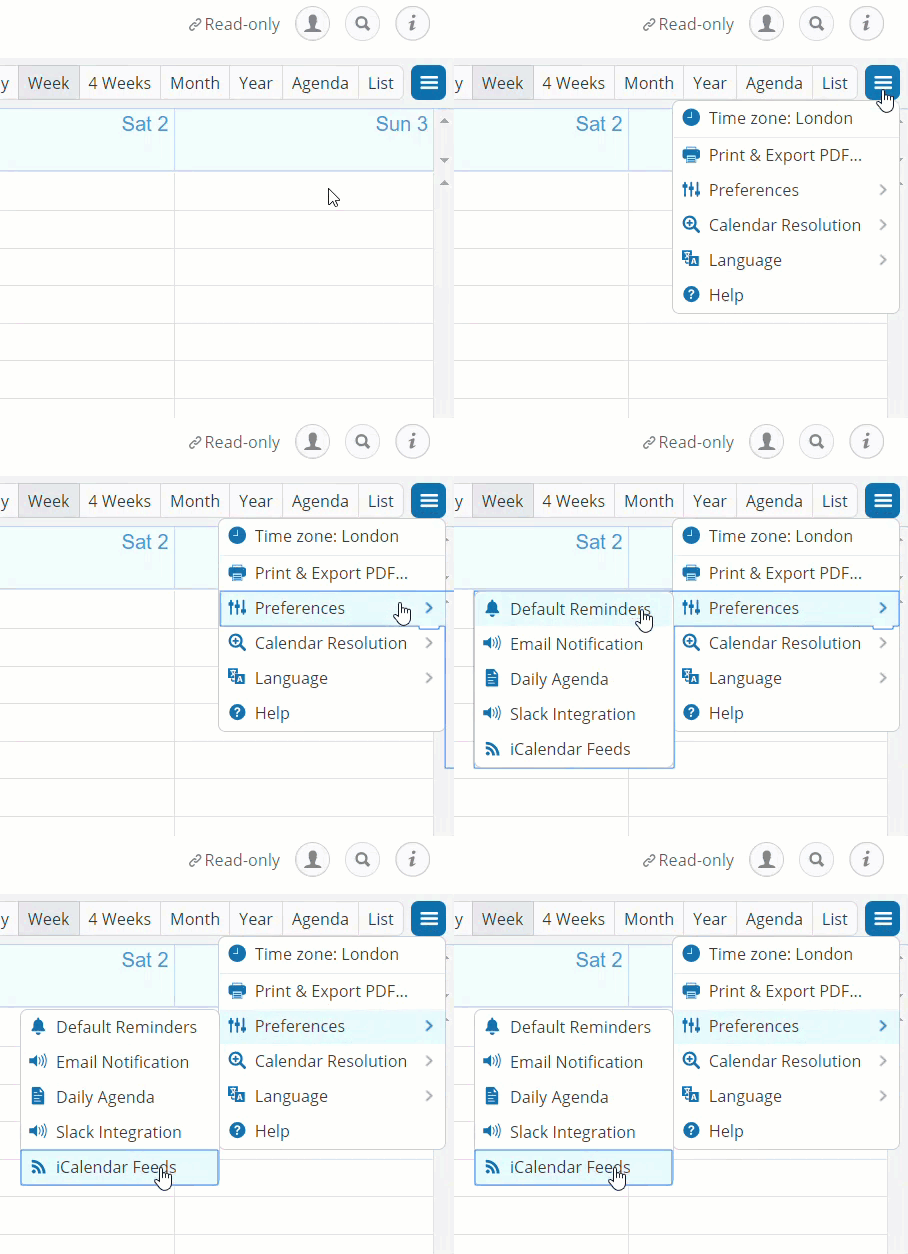
Step 1. Get link from Calendar Preferences in the top right corner of the 5 STAR calendar or copy and paste from below.
How to add calendar subscriptions to your iPhone or iPad
- Launch the Settings app on your iPhone or iPad.
- Tap on Passwords & Accounts.
- Tap on Add Account… .
- Tap on Other.
- At the bottom, Tap on Add Subscribed Calendar under the Calendar section.
- Enter or copy in the server location of the calendar. This is the URL link you copied from the calendar feeds that ends in .ics.
- Tap the Next button.
- Tap the Save button.
That’s it, the subscribed Calendar will now show up in the Calendar app.